

There are lots of great apps out there for managing tasks, but if you haven’t yet found the one that’s right for you, you may want to consider keeping your to-dos in a simple Markdown file. As we’ve already seen, syntax highlighting in a good plain-text editor makes it easy to see the structure of a Markdown file, so keeping lists — including nested lists for sub-tasks — and sorting them under a variety of headings is a simple way to manage your tasks. No apps necessary. No third-party sees your data.
You can also apply some custom tags — formatted however you like — to categorize your to-dos beyond what your headings provide.
Back in 2006, the programmer Gina Trapani developed some simple protocols for managing her to-do lists at the command line that are largely transferable to a plain-text editing environment. She described them in a 2009 blog post on Lifehacker.
Today, the protocols live on at todtxt.org, and the code is maintained on GitHub.
Meanwhile, the developer Fabio Spampinato has created an extension, Todo+, that you can install in VS Code to extend the functionality of plain-text to-do lists there. The syntax is slightly different from Markdown but easy to get the hang of quickly.
Spampinato provides this example in his GitHub repository for the Todo+ code.
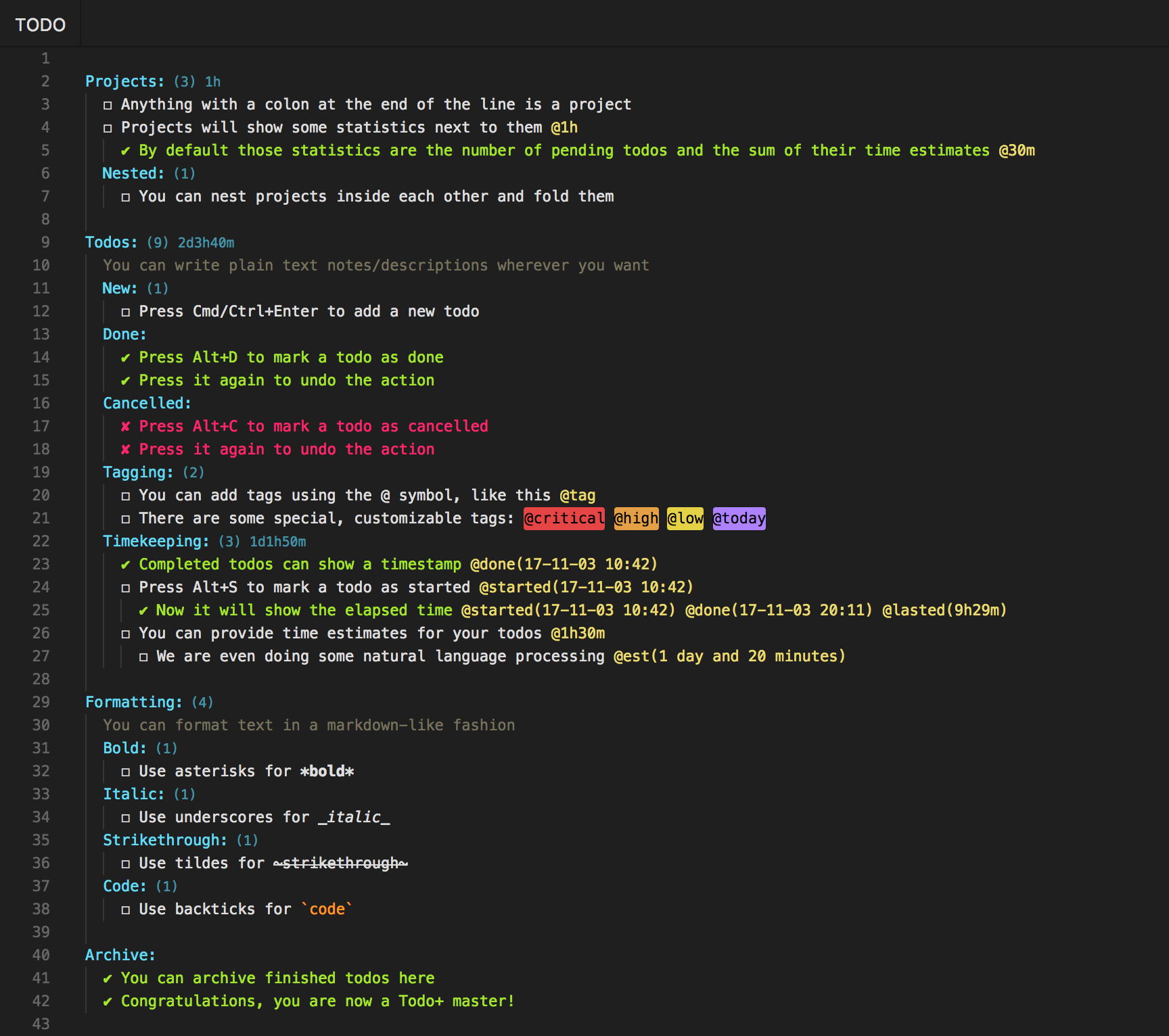
A nice feature of Todo+ is that when you mark an item as @done, it automatically moves to the bottom of the file. You don’t lose your completed tasks, but they’re always out of the way.